What it does
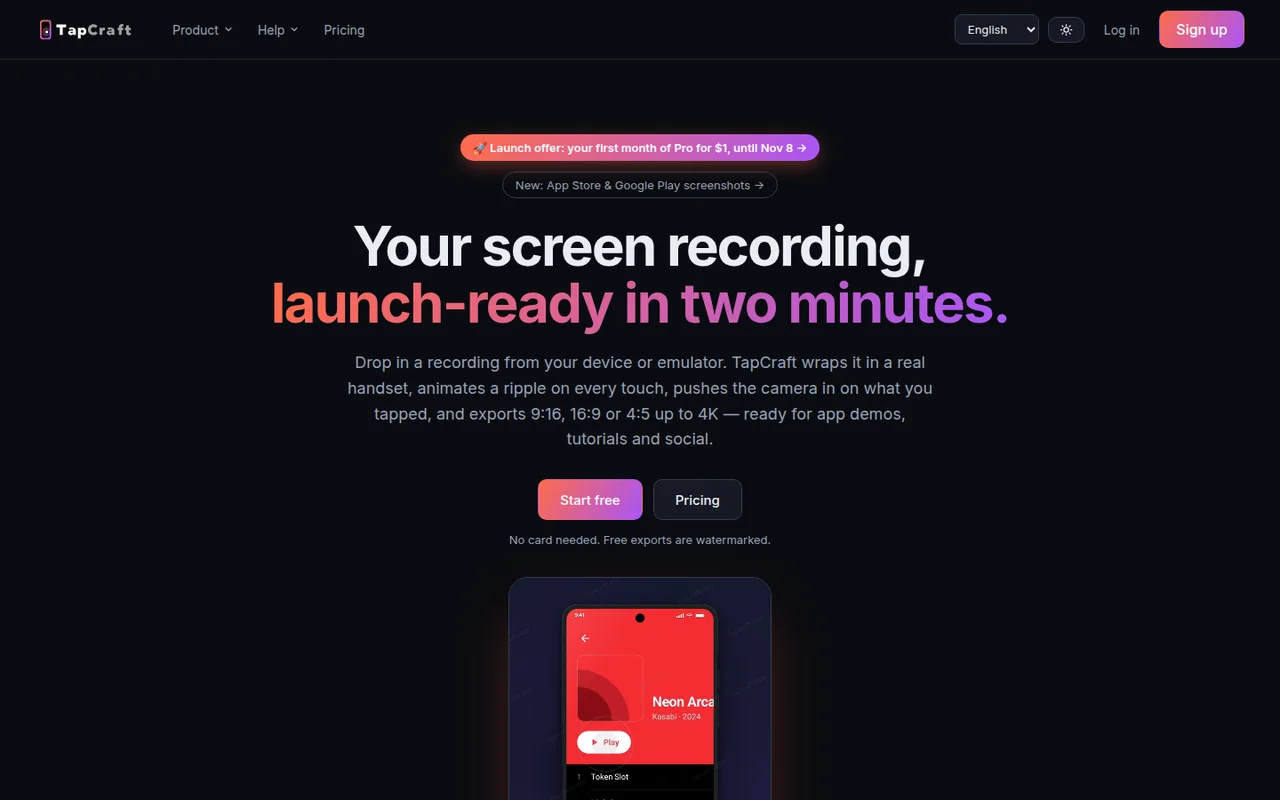
TapCraft turns a recording from a phone or an emulator into a demo video. It frames the capture in a handset, draws a ripple on each tap, and moves the camera toward the tap. Export is 9:16, 16:9, or 4:5, up to 4K. The same project can make App Store and Google Play screenshots, with an AI headline for each screen. Free exports are watermarked.
Where it fits
Drop in one short recording and watch the framed cut before you add music or a presenter. Use the free exports to judge the framing. The watermark comes off on Pro.
Before you commit
The pricing page lists Pro at $15 a month, or $60 a year at $5 a month. Until 8 November 2026 the first month of Pro is $1. Free, after sign-in, includes three watermarked exports, with all 15 devices. This check did not upload a recording.
Release & update notes
Dates below refer to the linked announcement or Product Hunt launch. They are separate from the date this profile was added.
- Product Hunt launch · ↗
On 5 November 2026 Product Hunt listed TapCraft 2.0 as launched this week. The pricing page the same day offered the first month of Pro for $1 until 8 November.
Sources & editorial notes
This profile summarizes public product information and adds workflow guidance. It is not a hands-on performance review. Check the official website for current prices, limits, and availability.
- Official product website
- Product Hunt discovery
- Official homepage: frame a screen recording in a handset, add tap ripples, and export up to 4K. Store screenshots are included. Free exports are watermarked.
- Official pricing: Pro $15 a month, or $60 a year. First month of Pro is $1 until 8 November 2026. Free includes three watermarked exports after sign-in.
Source check: