Desktop & mobile apps
Screen Studio
A Mac recorder that zooms, captions, and cuts by transcript.
What it does
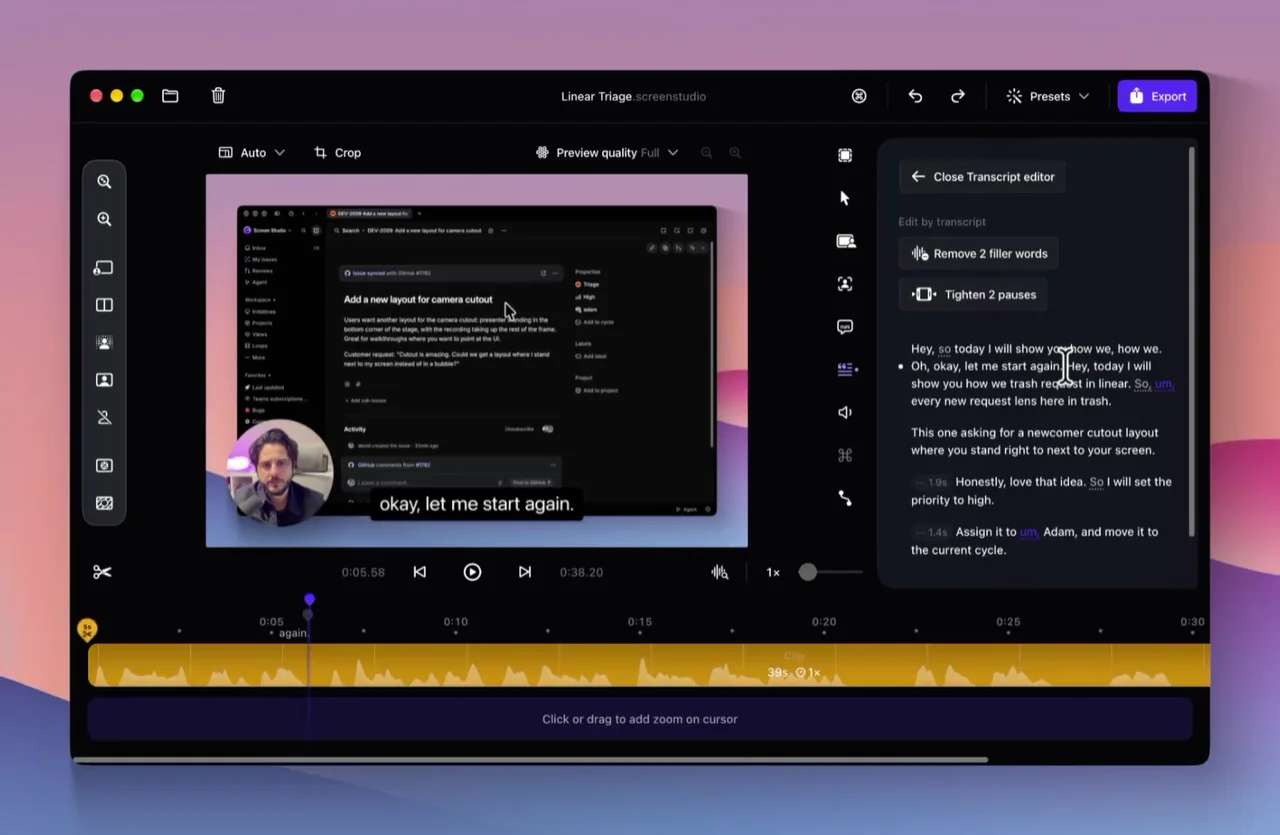
Screen Studio is a screen recorder for Mac, used for product demos, tutorials, and courses. It records the display, a window, or an area, and can include the webcam, microphone, and system audio. Zooms follow clicks or sit on the timeline, with motion blur, a smoothed cursor, and click effects. Layouts include a fullscreen camera, split screen, a corner overlay, screen only, and a camera cutout whose background is removed on the Mac. Screen Studio 4 adds a glass loupe, sharper zooms from an on-device model, transcript editing, and exports the site says are up to 3x faster on Apple silicon. Captions are made on the Mac. Recordings stay on the computer unless you choose a share link, a shared project, cloud transcription, or an AI voiceover.
Where it fits
Record a short demo on a Mac. Add a zoom where a click is hard to see, then delete a sentence in the transcript if that moment should go. Check the captions and any masked text before you export an MP4, a GIF, or a link.
Before you commit
The homepage lists a monthly plan at $29 and says every feature is included. It recommends macOS 13.1 or later and says there is no Windows version. New one-time licenses are no longer sold; an older license still works, and renewing it restores updates. On the Screen Studio 4 page, camera cutout and podcast voice mode are marked beta. Podcast mode needs Apple silicon and macOS 14 or later, and filler-word cleanup needs a cloud transcript. Cloud transcription needs macOS 26 or later and a Screen Studio account. The app says it tells you before audio or a project leaves the Mac. A 40% education discount is described on the site. This check did not install the app or record a video.
Sources & editorial notes
This profile summarizes public product information and adds workflow guidance. It is not a hands-on performance review. Check the official website for current prices, limits, and availability.
- Official product website
- Product Hunt discovery
- Official homepage: macOS recorder for demos and tutorials, automatic and manual zooms, motion blur, camera layouts including cutout, transcript editing, on-device captions, offline-first storage, a $29 monthly plan with every feature included, and macOS 13.1 or later.
- Official Screen Studio 4 page: glass loupe, on-device upscaling, camera cutout and split screen, transcript editing, exports up to 3x faster on Apple silicon, and feature requirements including macOS versions.
Source check: