AI creative canvases
Flowith
Keep research and creative assets connected on a visual workspace.
What it does
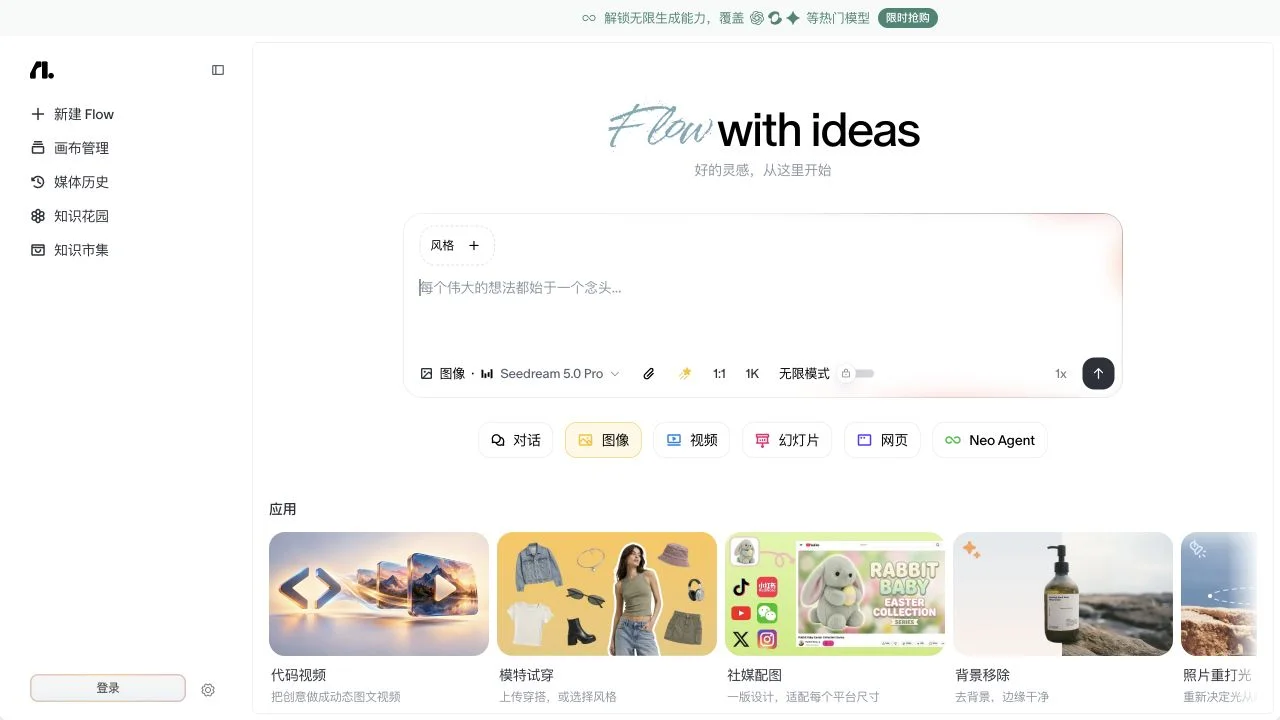
Flowith combines a canvas interface with Agent Neo, research, slides and media tools. Its Knowledge Garden provides a place for project knowledge, while generated materials remain available for further work. Code Video extends the workspace into motion graphics, accepting a brief and reference images to produce a sequence with optional speech, music and captions.
Where it fits
Organize the brief and reference material on the canvas, then choose research, slides or media creation. Review intermediate outputs before connecting them to the next step. Refine the selected result and check the exported artifact in its intended destination.
Before you commit
Review model selection and task allowance before building a long connected workflow.
Release & update notes
Dates below refer to the linked announcement or Product Hunt launch. They are separate from the date this profile was added.
- Official announcement / update · ↗
Official changelog newly introduces Code Video with storyboard arrangement, captions, music and voiceovers.
Sources & editorial notes
This profile summarizes public product information and adds workflow guidance. It is not a hands-on performance review. Check the official website for current prices, limits, and availability.
- Official product website
- Official product announcements
- Official Code Video page describes prompt/reference-image to MP4 motion graphics.
- Official blog lists Canvas Cowork, Neo and Knowledge Garden product capabilities.
Source check: