AI video editing
Colourlab
Balance shots and develop a consistent color treatment with AI assistance.
What it does
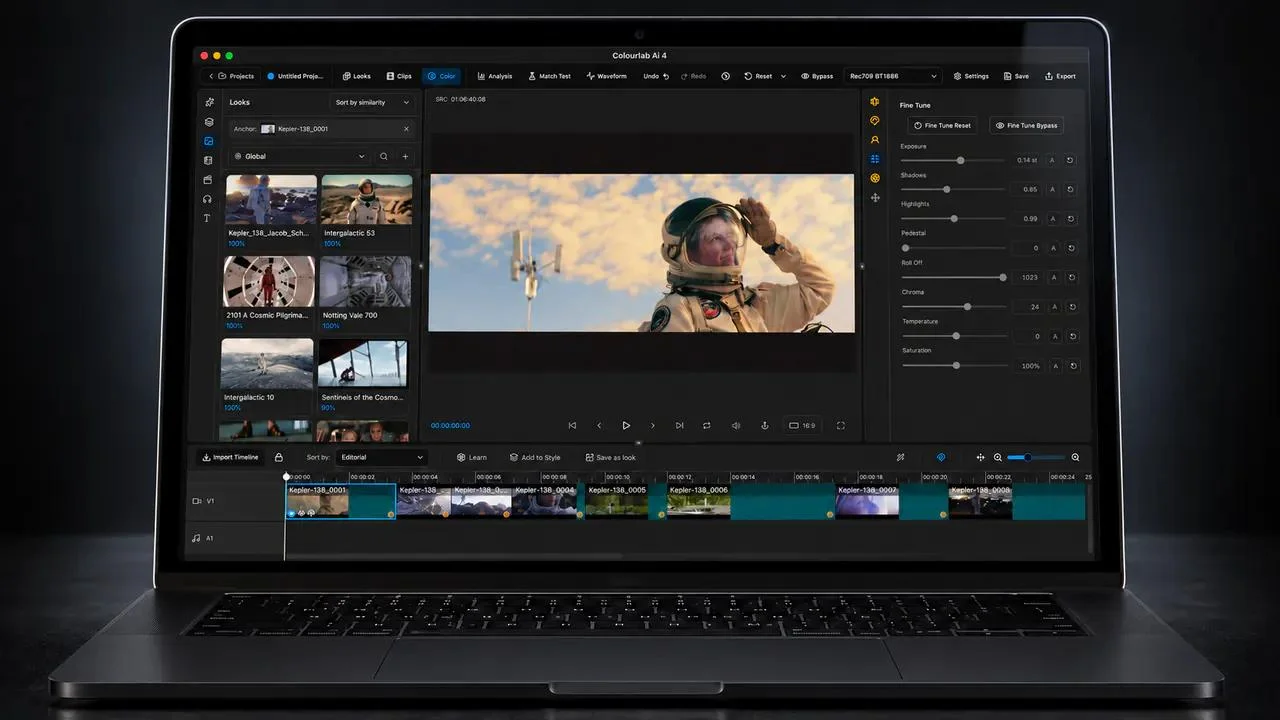
Colourlab combines AI image processing with tools for balancing, shot matching, and developing a visual treatment. Its official site describes selecting a reference, refining luminance, color, and saturation, and working with film-appearance tools. Supported timeline connections include major editing systems, while a documented conversational workflow can coordinate supported grading tasks through Claude and MCP.
Where it fits
Choose representative shots and establish a visual reference for the sequence. Use automatic balancing and matching as a starting point, then refine the look while comparing adjacent shots. Review skin tones, exposure, and consistency before sending approved grades back to the editing timeline.
Before you commit
The current core product lists Apple-silicon Mac support; confirm your editor connection and review changes before pushing grades back.
Sources & editorial notes
This profile summarizes public product information and adds workflow guidance. It is not a hands-on performance review. Check the official website for current prices, limits, and availability.
Source check:
Keep exploring


Build editable video projects with agents and ordinary web technology.