AI video generation
Qwen Create
Generate images and video in Qwen’s dedicated media studio.
What it does
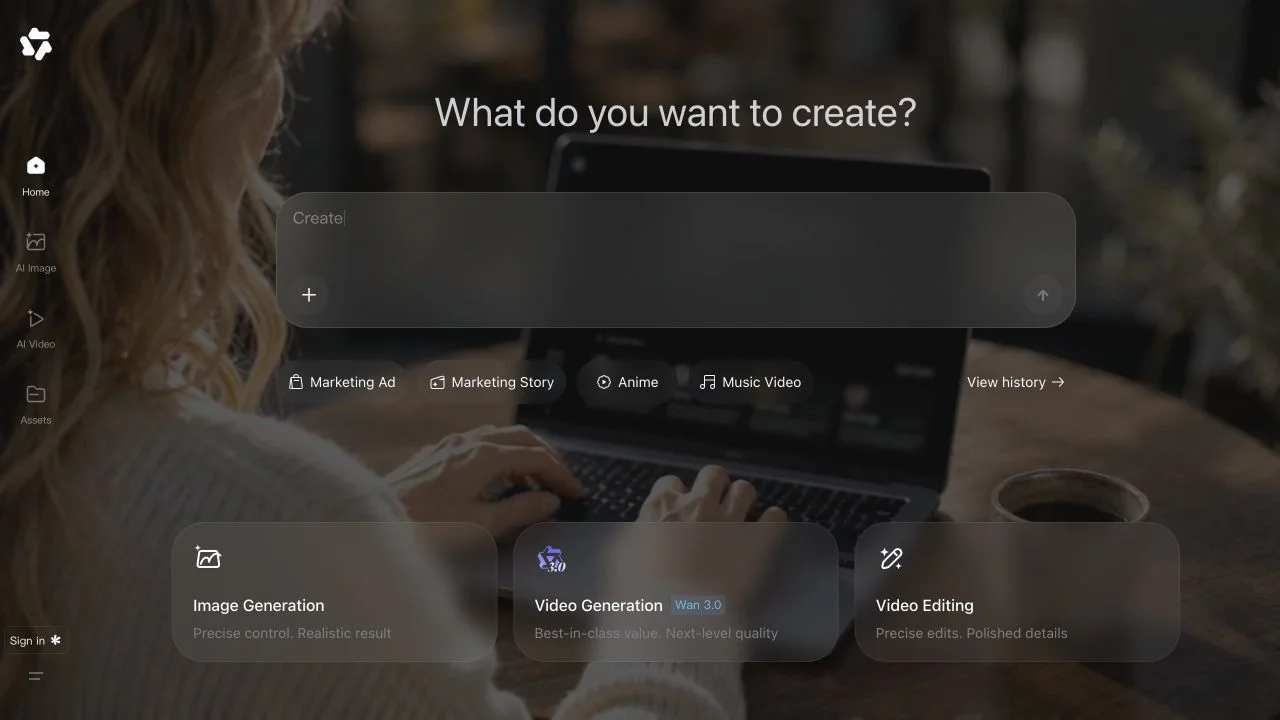
Qwen Create is Qwen’s dedicated image and video creation studio. The official global interface separates AI Image, AI Video, and Assets, while the Qianwen brand’s announcement also describes collaborative creation workflows. For a first project, the current media studio offers a direct starting point for exploring model outputs and organizing the resulting material.
Where it fits
Choose the image or video section and develop a clear visual brief with the required reference material. Inspect early outputs for composition and intended meaning, then keep approved media in Assets while iterating on the next version.
Before you commit
The global interface and regional announcements may expose different workflows; confirm the controls available in your account.
Sources & editorial notes
This profile summarizes public product information and adds workflow guidance. It is not a hands-on performance review. Check the official website for current prices, limits, and availability.
Source check:
Keep exploring