
Creative agents & workspaces
Medeo
Create and revise video projects with a conversational agent.
What it does
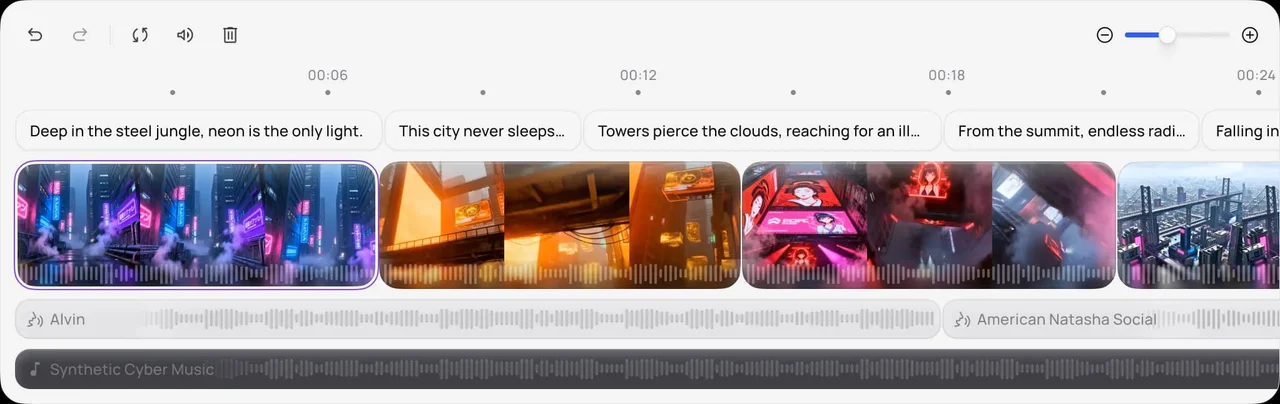
Medeo combines an AI video agent with editing tools in a browser-based workspace. Its official feature pages describe creating videos through conversational instructions and using an AI editor to make changes. The platform brings generation models and supporting media tools together so a project can develop through several rounds of direction.
Where it fits
Begin with a concise video brief and any useful source media. Review the first structure, identify the scene or editing decision that needs work, and give a targeted revision instruction before approving the complete sequence.
Before you commit
Review the sequence as a complete piece and keep revision requests specific to the scene or behavior you want changed.
Sources & editorial notes
This profile summarizes public product information and adds workflow guidance. It is not a hands-on performance review. Check the official website for current prices, limits, and availability.
Source check:
Keep exploring




Coordinate scripts, storyboards, assets, and editing on shared canvases.