
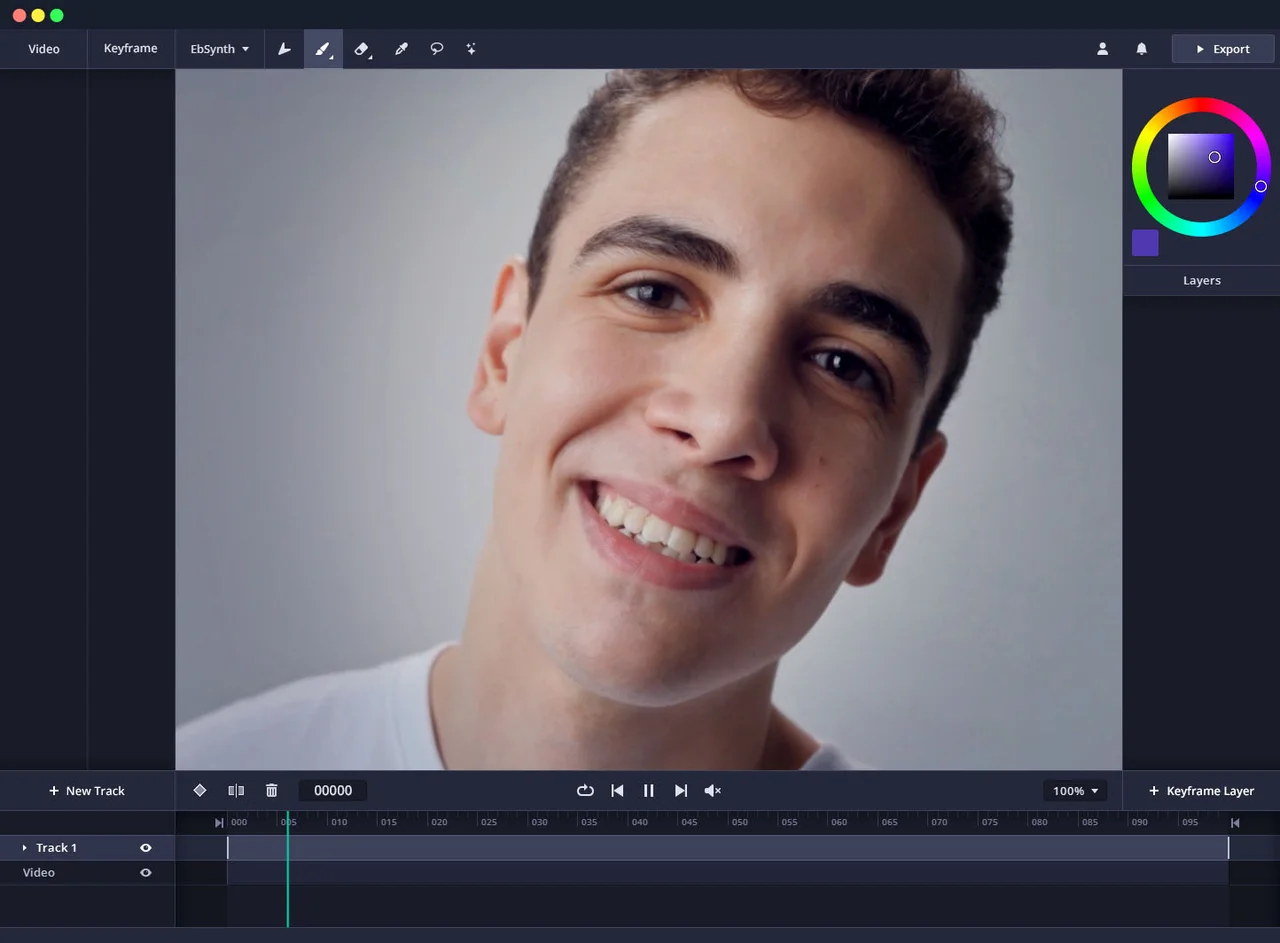

What it does
EbSynth changes video by using an edited frame as a visual guide. Its official site describes painting or modifying representative frames and carrying those changes into the surrounding motion. The workflow supports stylization, retouching, rotoscoping, and color treatments, making it useful when an artist wants direct control over the visual result.
Where it fits
Choose representative frames where the subject and motion change. Paint or retouch the desired look, propagate it through the shot, and inspect motion boundaries before adding more keyframes where the result needs correction.
Before you commit
Plan for additional keyframes around occlusions, large motion changes, or areas where the intended visual treatment stops tracking cleanly.
Sources & editorial notes
This profile summarizes public product information and adds workflow guidance. It is not a hands-on performance review. Check the official website for current prices, limits, and availability.
Source check:
Keep exploring




Create animated short videos from text, pictures, and presentations.

Develop controllable 3D scenes and combine them with AI-generated media.